
Photo Capture: Bringing Your Patients’ Health Data Into the Study in 3 Clicks
AUTHOR
Sascha | Co-Founder & CEO
You’re a site investigator. A patient walks in with a lab report from their primary care physician (a printed PDF). You need to enter the lab values into your EDC. What do you do?
Traditional EDC: you log into the EDC on your desktop, open the patient record, and manually type in each lab value (Haemoglobin 12.5 g/dL, Creatinine 0.9 mg/dL, and so on). Time spent: 5–10 minutes.
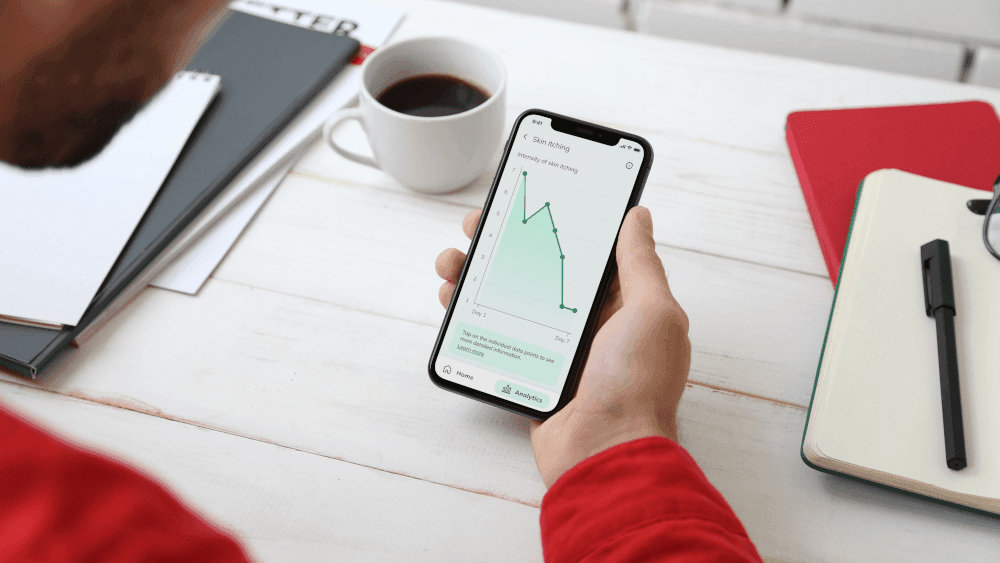
Climedo Photo Capture: you scan the patient’s QR code with your phone, photograph the lab report, and the AI extracts all values into the EDC. Time spent: 30 seconds.
How Photo Capture Works
- Pair your device - In the Climedo EDC, each patient has a unique QR-code. Scan it with your phone; your phone is now paired with this patient’s record for the next 15 minutes.
- Upload documents - Photograph the lab report (or upload an existing PDF/image from your phone). The document is sent to Climedo’s secure, EU-based, GDPR-compliant servers.
- AI extraction - The AI extracts structured fields (lab values, dates, units) from the document, and the extracted data appears in the EDC as pre-filled fields.
- Review & save - You review the extracted data, make any corrections, and save. The source document is automatically deleted from the servers within seconds (privacy-by-design).
What Can You Upload?
- Lab reports (PDF, printed, or handwritten)
- Doctor’s letters (referral letters, discharge summaries)
- Imaging reports (radiology, pathology)
- Medical-history forms (patient-filled questionnaires)
- Screenshots from HIS/PIS systems (where EHR integration is not available)
Privacy & Compliance - GDPR-First by Design
- Source files are processed on EU-based servers (Frankfurt)
- Documents are automatically deleted after processing (retention: seconds, not days)
- AI models are trained on anonymised data only - your patient data is never used for training
- The audit trail captures every upload, extraction and approval step
Real-World Example: A Post-Approval Diabetes Study
A pharma sponsor is running a post-approval study on a new diabetes medication. Sites collect HbA1c, fasting glucose and lipid panels at baseline and every three months, and most patients get these labs done at their primary care physician, not the study site.
Without Photo Capture: patients bring printed lab reports to site visits and investigators manually type the values into the EDC - about 10 minutes per visit, with frequent errors (typos, wrong units).
With Photo Capture: investigators scan the patient QR-code, photograph the lab report, and the AI extracts the values - about 1 minute per visit, with errors rare because the AI validates units and ranges. Across 200 patients × 4 visits × 9 minutes saved, that’s roughly 120 hours of site time saved - and fewer queries from Data Managers.
Why This Matters for Observational Studies
Post-approval (observational) studies face unique challenges:
- Sites aren’t incentivised by high investigator fees (observational pays less than interventional)
- Patients aren’t incentivised by exclusive drug access (the drug is already on the market)
- Data comes from multiple sources (primary care physicians, specialists, patient self-reports)
Photo Capture reduces site burden (less manual entry), improves data quality (fewer transcription errors), and makes participation more attractive.
Competitive Landscape
No other EDC platform offers Photo Capture. Traditional and legacy EDC systems require either manual data entry or complex EHR integrations that take months to set up and only work with specific EHR vendors. Climedo’s approach is vendor-agnostic and works with any source document.
Conclusion
Getting your patients’ real-world health data into the study shouldn’t take a desktop and ten minutes of typing. With Photo Capture it takes a phone and three clicks - less site burden, better data quality, and happier investigators.
Want to bring source data into your study in three clicks? Book a demo.
Sascha | Co-Founder & CEO
Climedo
A highly entrepreneurial Digital Health enthusiast with hands-on mentality and expertise in bringing new technologies and products to market. Professional experience in Digital Health, IIoT and SaaS.